Guild Banner Advertising: A Guide for the 1080p Client
A practical introduction to TempestCO Guild Banner Advertising: prepare your artwork, submit a campaign, pay with Tempest Tokens, and reach players using the supported 1920×1080 client.
Put your guild in the game
TempestCO now supports paid Guild Banner Advertising for guilds and alliances that want to recruit, promote their community, or make their name visible to players.
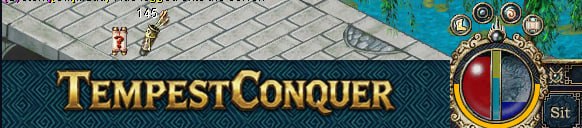
Guild advertising uses the LEFT side of the enhanced 1920×1080 TempestCO 5065 overlay. The RIGHT side is reserved for official Tempest announcements and is not part of the guild advertising pool.
Before you submit
Prepare artwork that is easy to read at a glance. Your uploaded image can be a JPEG, PNG, or WebP file up to 8 MB. The banner service safely normalizes approved artwork to the in-game output size of 441×71 pixels, so text and important artwork should have comfortable margins.
Good banner ideas include:
- guild recruitment messages;
- alliance or community promotion;
- class, timezone, or activity information;
- a short website or Discord reference; and
- a clear guild name or recognizable emblem.
Keep the design static and readable. The in-game banner is not clickable, so do not rely on a button or click-through instruction.
Submit a campaign
- Sign in to your TempestCO account.
- Open Guild Banner Advertising.
- Enter your guild or alliance name.
- Add an optional short headline.
- Choose a campaign duration from 2 to 6 weeks.
- Upload your JPEG, PNG, or WebP artwork.
- Review the displayed Tempest Token cost.
- Submit the campaign and pay the full selected period up front.
The current price is 10 Tempest Tokens per day. The total is calculated from the complete number of weeks you select.
Review and approval
A submitted campaign is not displayed immediately. It enters review so the team can check that the artwork and advertising content are suitable for the server.
The campaign begins when an administrator approves it. If the campaign is rejected, the reason is shown in your dashboard. Approved campaigns can later be paused, resumed, or deleted from the same page. Remaining paid time is preserved when a campaign is paused, and eligible unused time can be refunded when it is deleted.
When your banner appears in game
Once your campaign is approved and its start date arrives, it becomes part of the guild banner rotation for supported 1920×1080 players.
The launcher prepares the current banner before the game opens. The selected banner stays in place for that game session, and another eligible guild banner may be selected the next time the launcher starts.
If a banner service problem occurs, the launcher uses the most recent valid banner information or the permanent fallback banner instead. Players can still start the game normally.
Understanding impressions
A guild impression represents one supported launcher session selecting your campaign for display in the LEFT overlay slot. It is not a count of overlay redraws, clicks, chat messages, or guaranteed guild joins.
The system does not track clicks, mouse movement, character activity, browsing behaviour, or player profiles. Because the enhanced overlay is currently intended for 1920×1080 clients, a campaign impression is only counted when the supported overlay can actually display the selected guild banner.
Your dashboard shows the campaign's current impression total when recorded selections are available.
Important limitations
- Guild advertising is currently for the enhanced 1920×1080 interface.
- Lower-resolution client layouts are not redesigned by this system.
- Guild banners are static and non-clickable.
- Only the LEFT community/guild channel is available for paid advertising.
- The RIGHT channel is reserved for official Tempest news, events, maintenance notices, and announcements.
- Approval is required before a campaign becomes active.
- Campaign dates and paid duration determine when the banner can appear.
If your campaign is active but you do not see it immediately, close and restart the launcher so the latest eligible banner selection can be prepared.